
For maggidei shiur, editors and publishers
From a recorded shiur
to a finished sefer.
Chibur listens to the shiur, writes it out the way a shiur really sounds, edits it in the speaker's own voice and lays it out as a real sefer. Every tool is calm: one question at a time, and you decide every change.
14-day free trial · no card needed
New in Chibur
More room to work, and sefarim that look finished.
- 3D coversSee the sefer standing on the shelf, front and spine, before you print.
- Structure checkMapping that reads the whole sefer like a careful editor, then shows you the tree.
- Subtitle editorSubtitles on the word, styled your way, with intro and end cards.
- The transcript screenA roomy page to read, headings on the side, Hebrew words the way you want them.
- Complex templatesThe source in the middle and the commentary around it, page by page.
- Three clear plansStarter, Pro and Studio. Pay yearly: 12 months for the price of 10.
Cover builder
Your sefer, standing on the shelf.
Turn through 38 designs as real 3D books. Type the name once: it goes on the front and down the spine, top to bottom, and the spine is sized from your page count. Turn the book to see the front, the spine and the back before anything is printed.
- Move any words on the cover, change the colours, write the back cover.
- Exclusive designs: make a cover yours alone, $25. Studio has 3 included.
- One print-ready PDF: front, spine and back, sized for the printer.
Sefer mapping
It reads the sefer the way an editor would.
Before any layout, mapping gathers every clue in the file, works out the real structure, checks it against the text, and shows you a tree to approve. Anything it is unsure of becomes a question with a one-click fix, never a silent guess.
-
1Evidence
Every paragraph: its style, size and first words.
¶ 4Title pageספר לדוגמה¶ 12Heading 1שיעור א׳¶ 96Heading 1שיעור ב׳¶ 410Heading 2שיעור ז׳¶ 455Heading 2שיעור ז׳¶ 470Heading 1שיעור
שיעור × 12Heading 1 × 10File name differs from the title
-
2Analysis
What the structure really is, and why.
The second שיעור ז׳ is most likely שיעור ח׳: it follows ז׳, and ח׳ is missing.
Make it ח׳A heading that says only שיעור stands where שיעור ט׳ belongs.
Number it ט׳The sefer's name comes from the title page, not from the file name.
Checked against the text: 12 of 12 found, in order.
-
3Checked tree
12 shiurim · 86 topics. Drag to fix, Undo any time.
- שיעור א׳
- פתיחה
- הקושיא הראשונה
- שיעור ב׳
- שני דרכים בסוגיא
- שיעור ח׳
- שיעור ט׳
- …
- שיעור א׳
Subtitle editor Studio
Subtitles that land on the word.
Laid out like a video editor: the subtitles on the left, the video in the middle, a timeline with every word at the moment it was said. Each subtitle starts on its first word and is checked against the audio.
- Drag the edges, split and join, with snap to the words.
- Style it: free fonts, size, colour, outline or a box, placed where you drag it.
- Intro and end cards, a name strip and your logo.
- English, Hebrew or both. Download .srt or .vtt, or burn them into the video.
Transcript
A transcript you can actually read.
The text gets the room: a comfortable line, your transcriptions slim on the left, one side column you can fold away. Headings are always worked out; put them in the text with one click, or keep them on the side to jump around.
- Hebrew words in Hebrew letters, in English letters, or Hybrid: quotes in Hebrew, everyday yeshivish words in English.
- Choose the havara: like the speaker, Ashkenazi or Sefardi, one spelling for each word.
- Every file is heard in its own language, so a mixed batch comes out right.
- The summary sits above the text; subtitles are one click away.
Complex templates Pro
The source in the middle, the commentary around it.
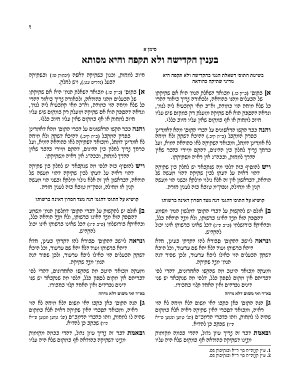
Bring the source and the pirush. Chibur matches each piece to its place, lays out every page the way a classic sefer is printed, and checks each one before you print.
- Every commentary starts on the page of its source.
- Columns end on the same line; no lone lines at the top or bottom.
- Every word of the source checked against the text you gave.
Transcription built for shiurim
Made for the way a shiur really sounds.
Ordinary transcription is built for everyday speech. A shiur is different: Hebrew, Aramaic, Yiddish and English in the same sentence, a Gemara quoted from memory, a Rishon cited in a few words, ראשי תיבות said as one word. General-purpose tools mangle exactly these parts. Chibur's transcription is made specifically for shiurim and Torah.
- Four languages in one sentenceHebrew, Aramaic, Yiddish and English mixed together, the way a shiur is really given.
- Gemara, Rishonim and AcharonimQuotes from the Gemara and the meforshim come back as words of Torah, not as garbled guesses.
- Names of seforim and Rabbanimקצות החושן, the Rashba, Reb Chaim: names an ordinary transcription tool doesn't know.
- Yeshivish pronunciationAshkenazi and yeshivish havara, with Hebrew words in Hebrew letters if you want them.
- ראשי תיבותרמב״ם, שו״ע, ק״ו: written the way they appear in a sefer.
- You have the last wordListen and fix any word right in the text. Then SI's editing and the sefer layout take it from there.
No transcription is perfect, and we won't pretend it is. But a shiur transcribed by a tool that knows how a shiur sounds is a far better place to start.
Every tool on its own
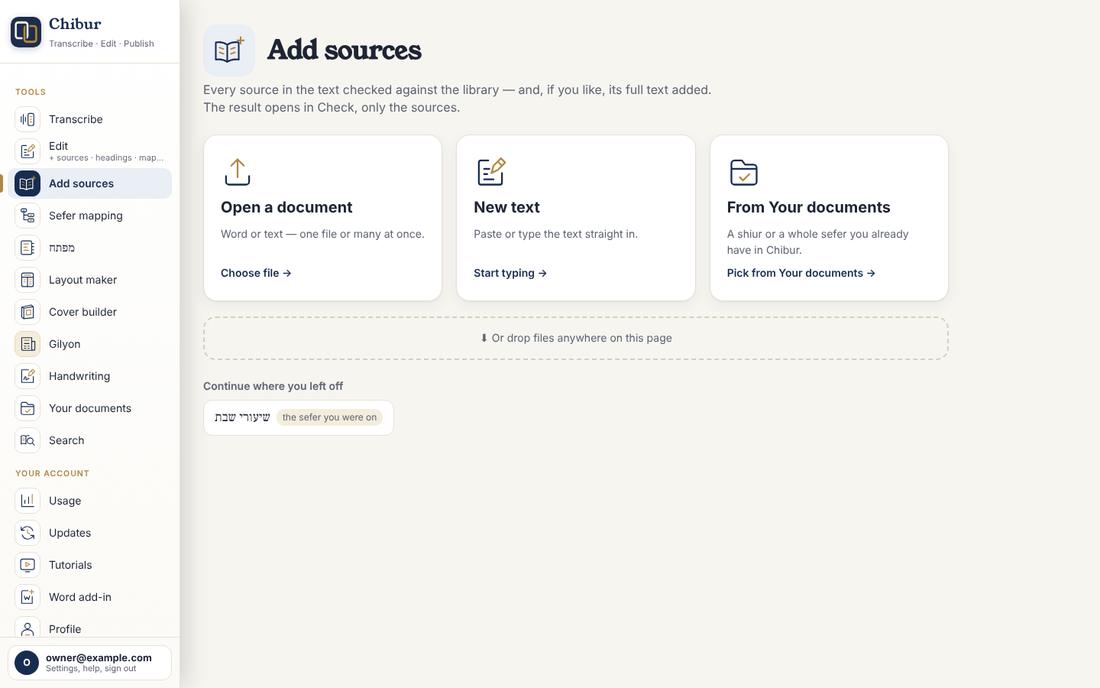
Pick a tool. Answer a few questions. Press Start.
Each tool on the left opens alone and big. Choose your file, answer its questions one at a time (Back, Skip, Next), press Start and watch a large number count up. When it is done you Check it, and only then go on to the next step.
- TranscribeA recording becomes a transcript
- EditFour levels, or a custom built editor
- CheckKeep or Undo, calmly
- Add sources · Sefer mapping · מפתחSources checked, titles and an index
- Layout makerThe pages, with front pages and תוכן
- Cover builderA cover that matches, ready for the printer
- Chibur in WordThe Chibur tab, one-click install
- GilyonThe weekly sheet in a minute
How it works. You stay in control.
-
1 · Transcribe
Upload the recording or record right in the app. The transcription is built for shiurim, and you can fix any word right in the text. Already have it in writing? Upload the Word file and go straight to editing.
-
2 · Choose the editing level
From clean spoken Torah to a full sefer style, for a transcript or for text you wrote. You decide how far SI goes.
-
3 · Accept or reject each edit
You get back an edited version with every change marked. Accept or reject each one, with the editor's comments right next to it.
-
4 · Load it into a beautiful template
Pick a sefer layout, preview every page, and get your print-ready PDF.
All this for a fraction of the cost of a traditional editor.
Everything you have in one place: sefarim, recordings, transcripts and files. Pull a transcript into Edit, or an edited text into Publish, whenever you're ready. Word files you upload and files you make (Word, PDF, e-book) are kept there too.
Transcribe
Chibur listens first, then writes.
Before it writes a word, Chibur listens to the shiur and works out what is being learnt: the daf or the sugya, the seforim and the names. It brings the texts from the library, so a Gemara quoted from memory comes back as the Gemara.
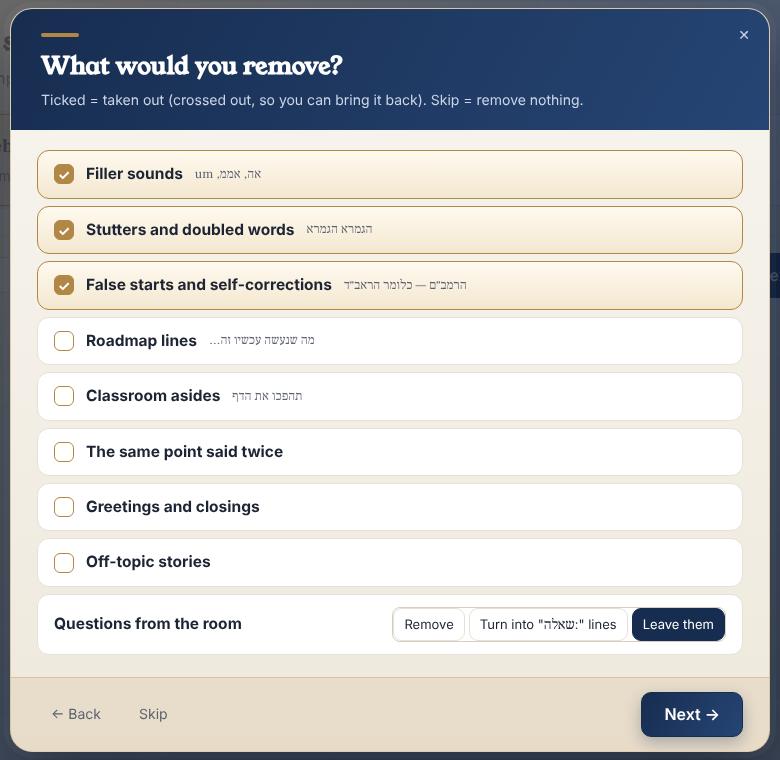
- Remove what you choose: fillers, stutters, false starts, classroom asides. They are crossed out, so you can bring any of them back.
- Headings, a short or long summary, who is speaking: each is a simple question you can Skip.
- לשון הקודש, Yiddish (BETA), English or mixed, with Hebrew words in Hebrew letters.
- "Sounded like: …" shows the topic it found. Not right? Change it in one click.
Edit
Choose how far the editing goes.
Four levels, from clean spoken Torah to a full sefer style. Before it starts you see the words and the price. While it works you can close the page: your computer tells you when it is done.
- Every change is tracked, and no idea is ever added.
- A מפתח already in your file is left out of the edit, and not counted.
- When it is done there is one button: Open Check.
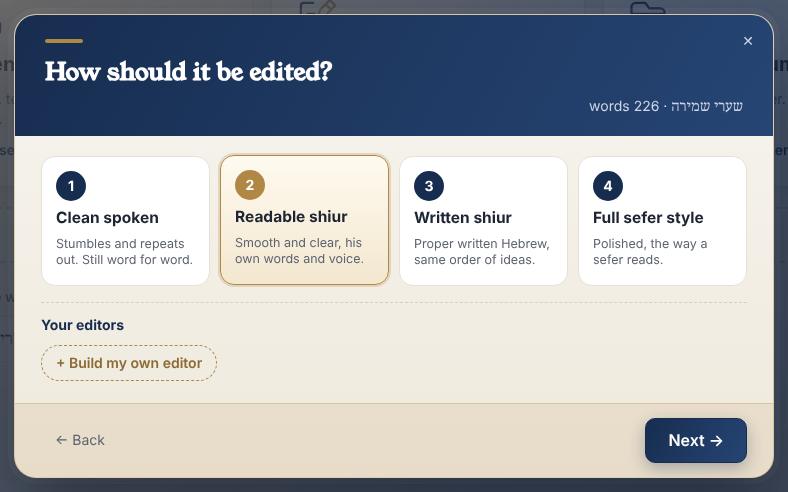
Four editing levels, for recordings and for written text.
SI, the built-in editor, works at the level you pick: on a shiur you recorded, or on text you already have, like a Word file, typed chiddushim or a manuscript. Every change is tracked, and nothing stays until you approve it.
- 1
Clean spoken
Removes stumbles, repeats and verbal tics. It still sounds like the shiur.
- 2
Readable shiur
Clearer sentences and joined fragments, still in his words and his voice.
- 3
Written shiur
Flowing written prose, with the same meaning and the same order.
- 4
Full sefer style
Rewritten as a sefer in the style you choose, keeping every idea and adding none.
LomdusMussar / MachshavaClear modern
- 1
Light copy-edit
Fixes broken or awkward sentences and formats sources and quotes the same way, in the author's own wording.
- 2
Readable and clear
Clearer sentences, better paragraphs and smoother transitions, still in the author's voice.
- 3
Polished written prose
Polished prose in the style you choose, without changing the author's meaning or order.
- 4
Full sefer style
A finished sefer in the style you choose, keeping every idea and adding none.
LomdusMussar / MachshavaClear modern
Custom built editor
Teach Chibur the way you edit.
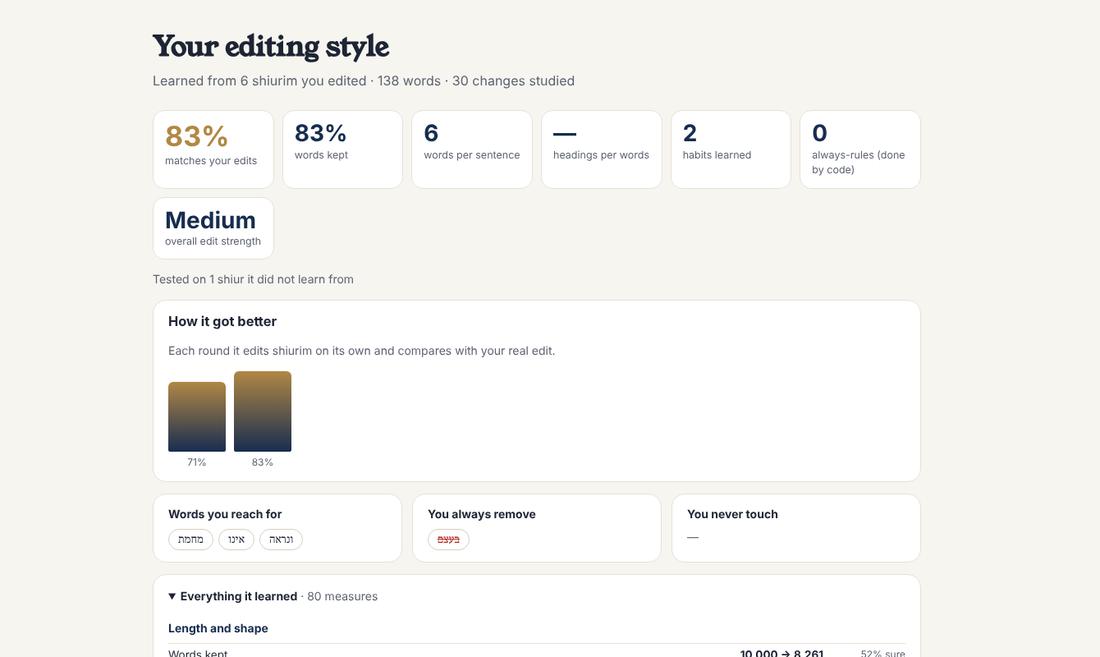
Give it shiurim you edited yourself: the transcript and your edit, side by side. Chibur studies how you edit (the words you reach for, what you always remove, what you never touch) and then edits the way you do. It tests itself on shiurim it did not learn from, and keeps only what really helps.
- A Style Report in plain words: how you edit, measured many ways.
- It keeps learning from every Keep and Undo in Check.
- Quotes, the Name and honorifics are never changed by a rule.
For a lomdus shiur
Give the shiur in the morning. Have your notes as a sefer the same day.
Record the morning shiur and upload it. The same day you can have the transcript, edited at the level you chose and laid out in two Rashi-script columns with סימנים and אותיות, like a sefer. Hand it out to the chaburah, send it to the talmidim, or keep building the sefer one shiur at a time.
- MorningGive the shiur and upload the recording.
- AfternoonThe transcript is back. Choose a level and go through the edits.
- EveningYour notes, laid out like a sefer, as a PDF.
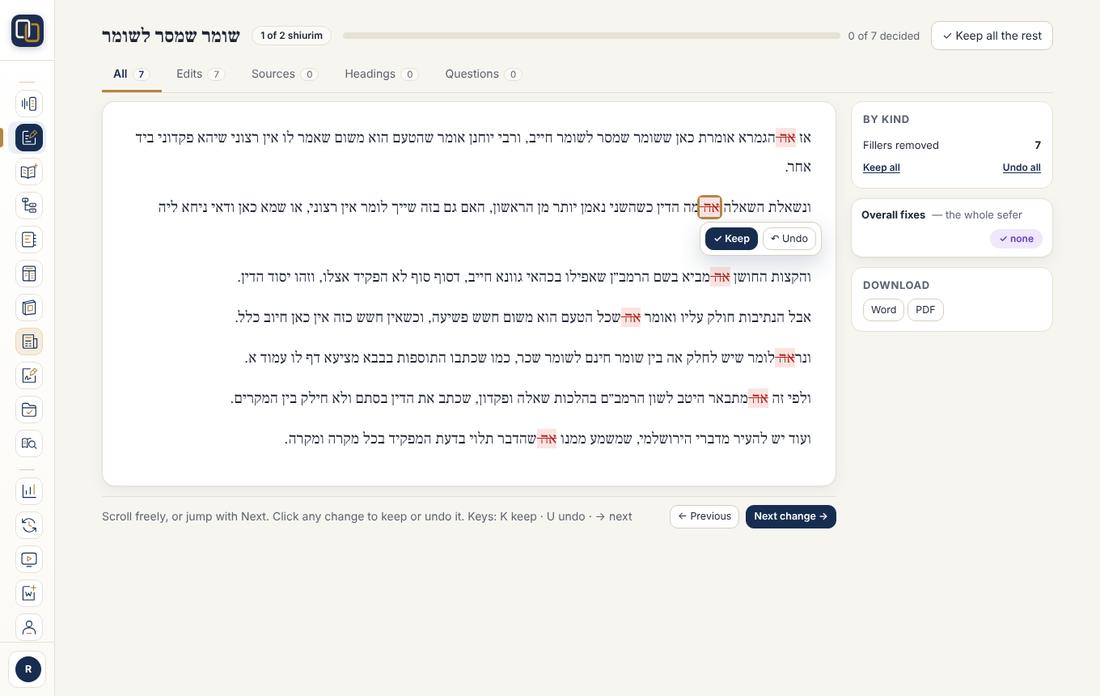
The calm Check
See how Check looks
A short piece of a shiur at Level 2. Deletions are in red, additions in green. Try the ✓ and ✕ buttons and answer the editor's queries.
You see exactly what was removed and what was added. Accept or reject each change, or all at once.
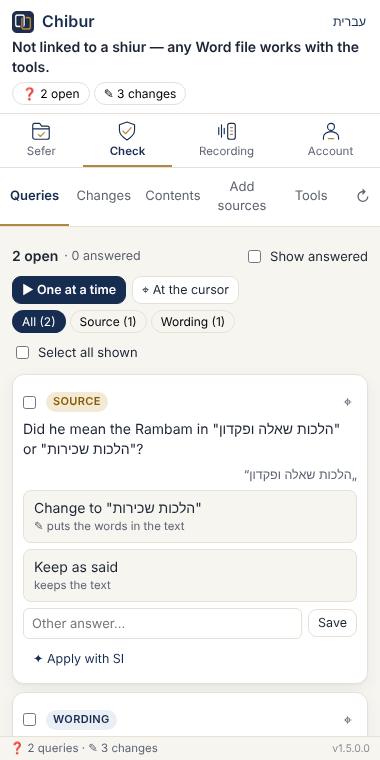
When a source, a fact or a phrase is unclear, the editor asks you in the margin and offers options to choose from.
Take the edited text as Word, text or a simple PDF, or send it straight to Publish.
Ideas are never added. SI keeps the speaker's meaning, order and style, and every change waits for your approval.
No keys, no software to install. Sign in from any computer and pick up where you left off.
ראשי תיבות, sources in your format, סימנים and אותיות: it knows how a sefer should look.
Sources, titles and an index.
Every source in the text is checked against the library, and its full text added if you like. You check them on their own tab.
Titles and levels for every סימן, worked out by reading the whole sefer side by side. Then check the contents tree.
An index made from your sefer, with the page numbers from the layout.
Typeset & publish
A sefer that looks like a sefer.
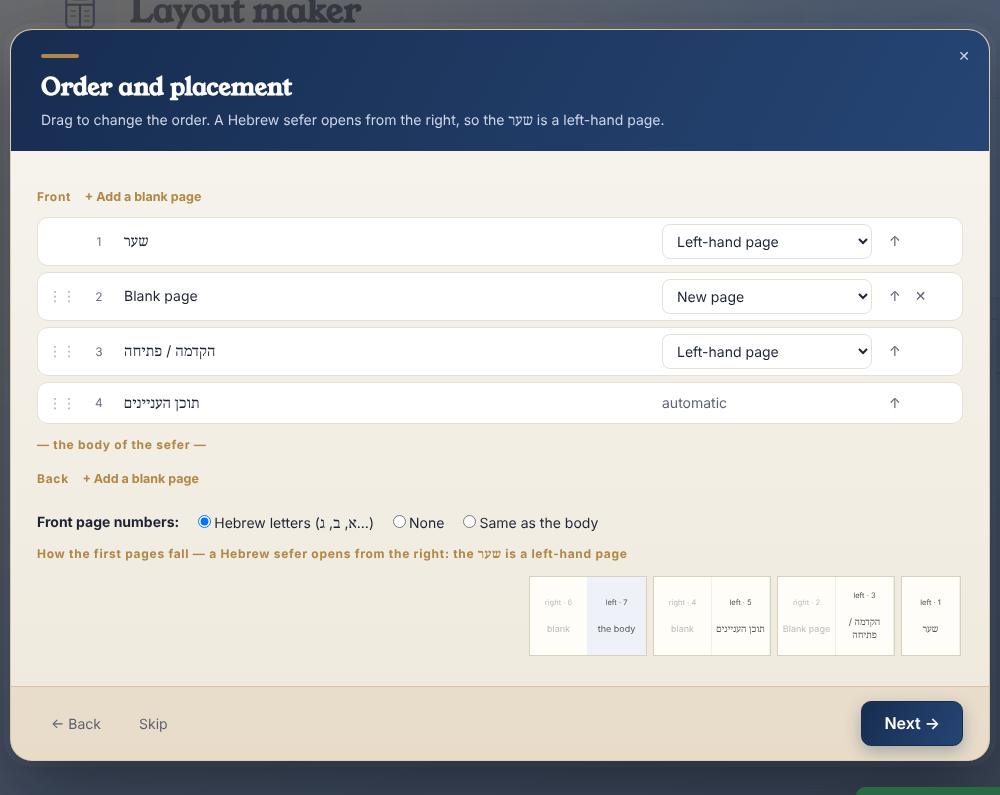
The Layout maker asks a few questions, one at a time: the page size and the family, which front pages and where each comes from, their order, the תוכן style and the מפתח. Then it makes the pages. A Hebrew sefer opens from the right, so the שער is a left-hand page, and that is where Chibur puts it.
- Front pages: שער, הסכמות, הקדמה and dedications, typed or from your own PDF or scan.
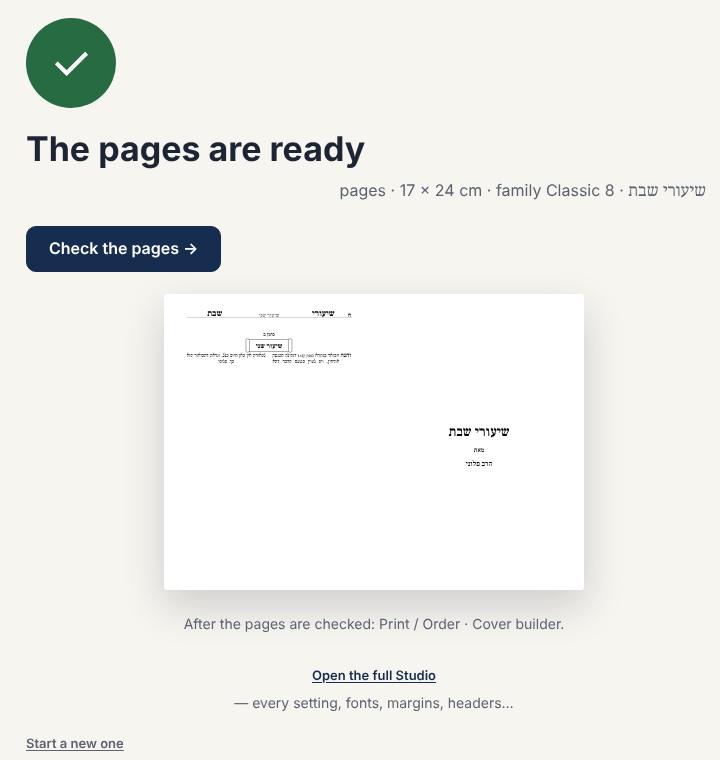
- Check the pages: every page beside a short list of things to look at, each with Fix.
- Want every setting? Open the full Studio, and go back to easy choosing at any time.
- A print-ready PDF, a proof, or printed copies.
Cover builder
A cover that matches the pages.
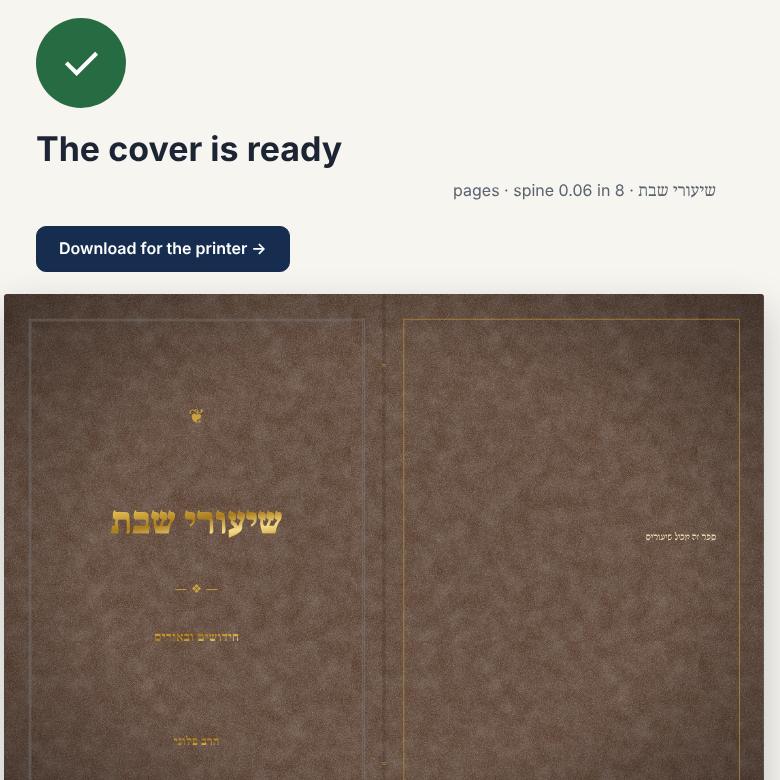
Keep your cover as it is, take one that matches your pages, or choose a ready design. Type the words; Chibur counts the pages, sizes the spine and makes the file for the printer: front, spine and back in one PDF.
Word add-in
Chibur in Word
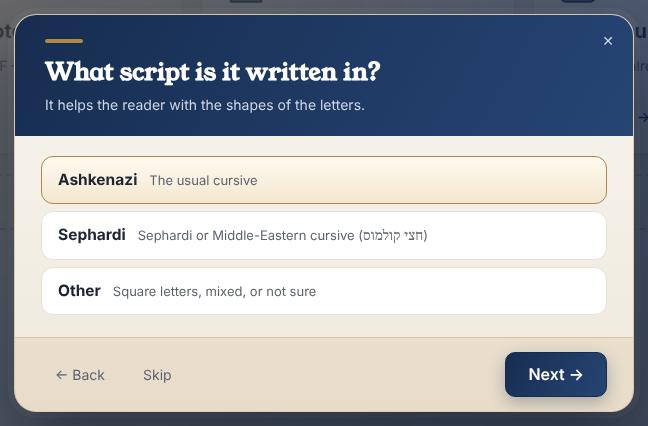
Finish in Word with the Chibur tab: the editor's questions in one click, changes by kind, every source checked, the Contents, the pages, and Save to Chibur. It keeps working without the internet.
- One-click install: download Chibur for Word, press Next and Finish, and the Chibur tab is in Word.
- Windows, Mac, Word on the web and iPad.
Weekly sheet (gilyon)
Your weekly gilyon, in a minute a week.
Press Continue, drop in the article, download the PDF. The parsha, the date, the issue number, the Shabbos times and that week's dedication are already there.
- Continue → next weekThe parsha (Israel or outside), Hebrew date, issue number and Shabbos's name move on by themselves.
- Shabbos timesCandle lighting and havdalah for your city, printed on the sheet.
- Dedications & yahrzeitsBook a dedication for any week; a yahrzeit comes back every year by itself.
- Placed for youThe text is fitted to 2 or 4 pages; side-headings suggested; “Shorten to fit” as tracked changes.
- Click to change anythingClick any piece on the sheet to change its words, size or colour — or ask ✦ SI in plain words.
- Editor approvalSend a link; the editor sees the sheet and presses Approve or Needs changes.
- Designs for every weekDozens of designs, English sheets, Yom Tov editions, your own masthead and colours.
- A sefer at the end of the yearAll the year's issues become a sefer in one click — laid out, with a cover, ready to print.
Try it free · no sign-in
See your own Torah as a sefer page.
Paste some text or upload a Word file (about 5 pages), pick a look, and see real typeset pages in seconds. Everything stays in your browser. Nothing is saved.
Like it? Request access to make the whole sefer, with the cover and a print-ready PDF. Request access
Tutorials
See it step by step, on the real screens.
Three short walk-throughs: each screen of the app, with what to click and a line about it. Back and Next, at your own pace.
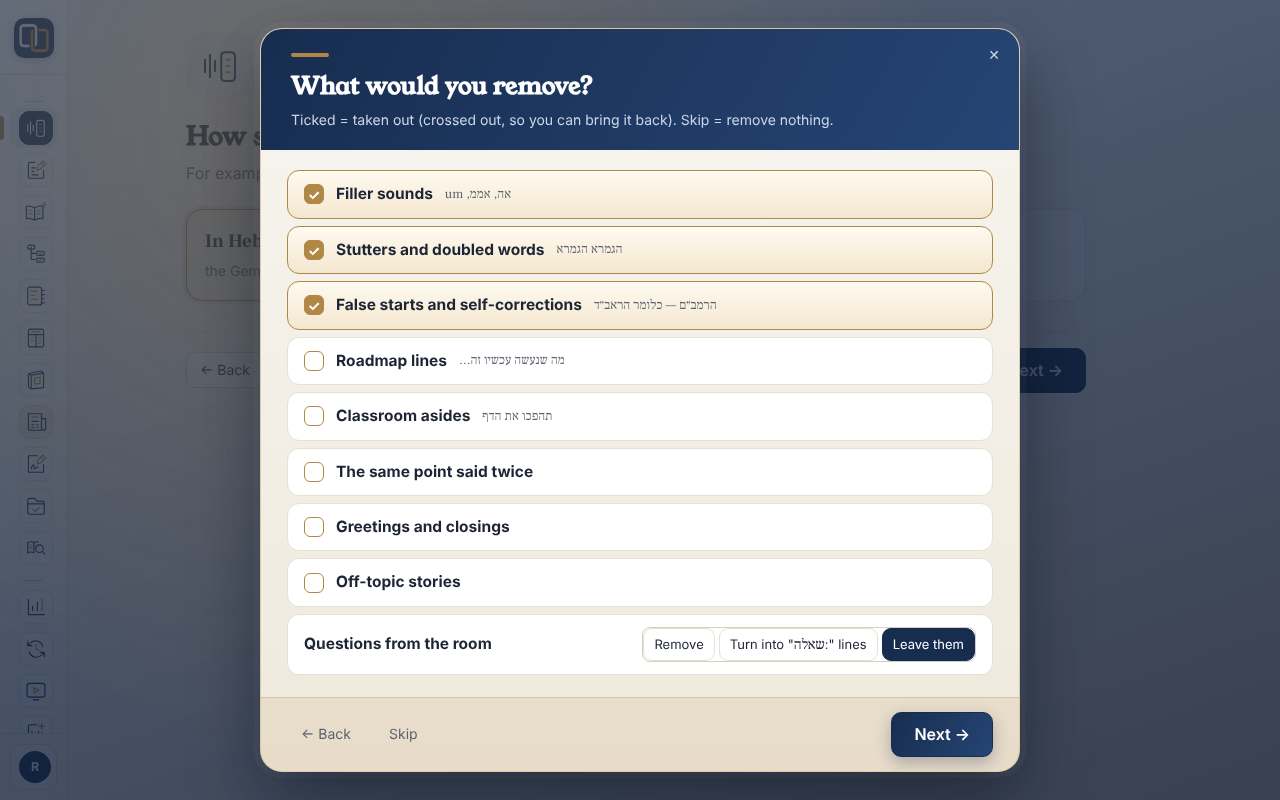 Transcribe a shiur
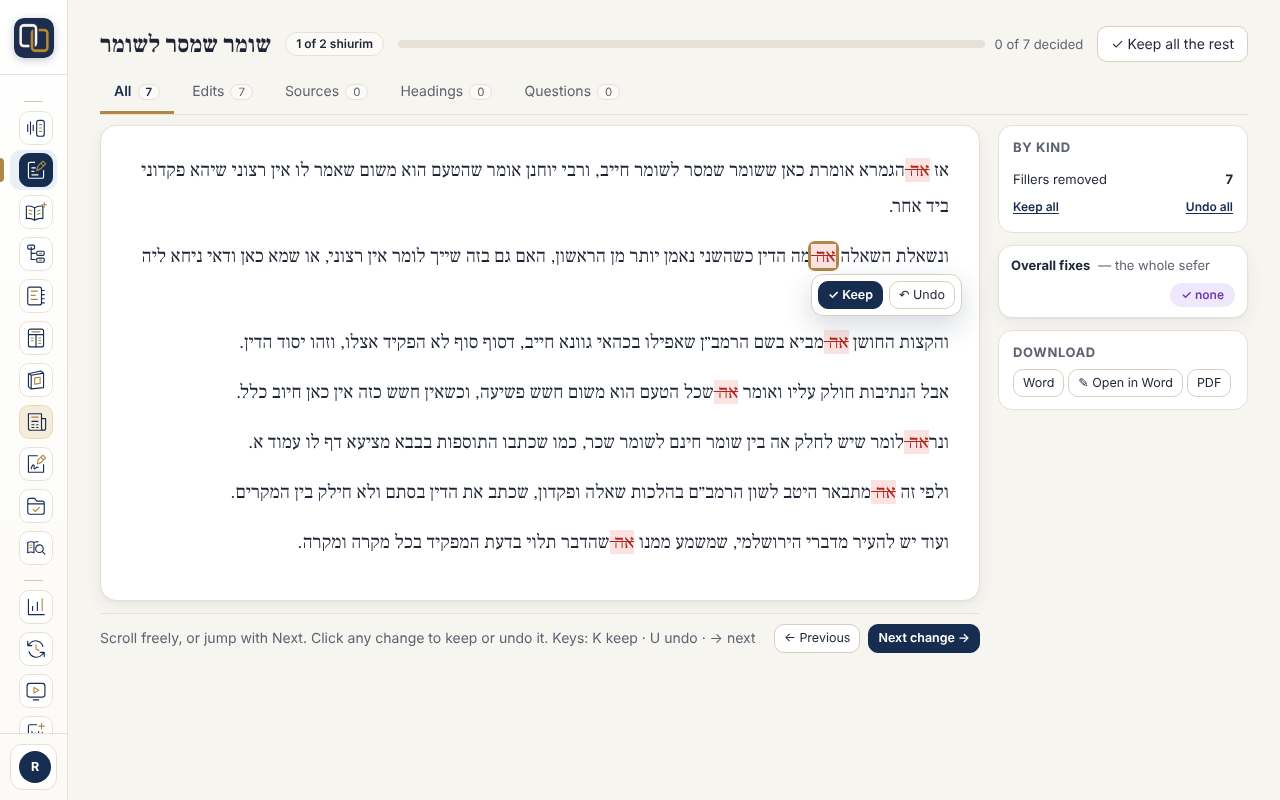 Edit and go through Check
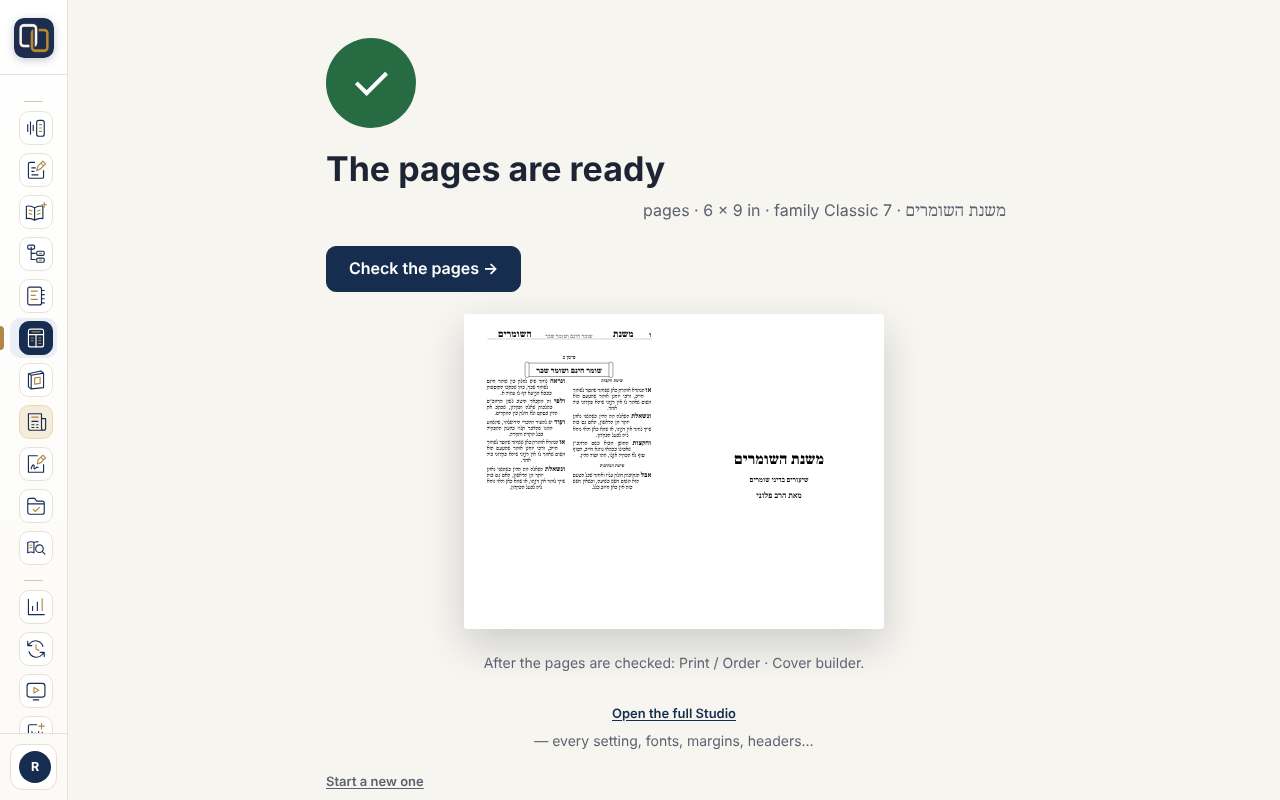 Make print-ready pages
Simple pricing
Each plan gives you three things every month: hours of shiurim to transcribe, words of editing, and pages to publish as a sefer. What you do not use starts again each month.
Pay yearly: 12 months for the price of 10. Extra hours are $2 an hour on any paid plan.
Starter
About 3 shiurim a month
- 3 hours of transcription a month
- 25,000 words of editing a month
- 100 published pages a month
- Transcription
- Editing, Levels 1–4
- Translation
- Sefer mapping and מפתח
- Sharing edits
- Layout maker, publish and print
- Cover builder
Pro
About 10 shiurim a month
- 10 hours of transcription a month
- 80,000 words of editing a month
- 400 published pages a month
- 1 custom built editor
Everything in Starter, and:
- Complex templates
- Checking quotes against the sources
- More free cover designs
- Master Editor — a ready-made custom built editor
Studio
About 30 shiurim a month
- 30 hours of transcription a month
- 240,000 words of editing a month
- 1,200 published pages a month
- 3 custom built editors
- 5 people on one account
Everything in Pro, and:
- “Need it now” without double words
- New BETA tools a few weeks early
- 3 exclusive covers free ($75 value)
- Subtitles
- First in line when busy
Need a little more, or just one part?
Extra packs never expire. Editing and publishing packs can be bought without a plan; extra hours come with a paid plan ($2 an hour, in blocks of 10). A Yiddish hour uses 2 hours of the plan.
How editing words are counted
- Levels 1–2: one editing word for each word of your text. Levels 3–4 rewrite much more, so each word counts twice.
- Edits come within a few hours: usually within an hour, at most 24 hours, and we email you when one is ready. Need it now? Switch on “Need it now?” next to Start: it counts twice the words.
- You always see the count before you start, for example “Level 4: 25,000 editing words, ready in about an hour”.
- Contents summaries for the table of contents: 6 editing words for every 100 words of the sefer. Subtitles over the paragraphs: 18 per 100. Both: 20 per 100.
- Already a customer before these prices? Every level keeps counting once until your current plan period or pack runs out.
These are our opening prices.
Questions
What does the free trial include?
14 days with 60 minutes of transcription and 8,000 words of editing. You can preview every template too.
How are pages counted?
Every page in the finished file counts, including the title page, front pages and the cover (2 pages). Previews are free, and re-publishing the same sefer within 30 days only counts pages you added.
Can I cancel?
Anytime. Extra packs you bought stay yours, and you can still open and download your work as Word, text or a simple PDF.
Does the editor add its own ideas?
No. At every level SI keeps the speaker's ideas and adds none. Every change is marked, and you accept or reject each one. When something is unclear, it asks you instead of guessing.
Which languages and books does it handle?
Shiurim in English, Hebrew or Yiddish, with Hebrew words in Hebrew letters. You can publish Hebrew seforim and English books; the layouts include a classic English Torah-book layout.
Why is transcribing a shiur harder than ordinary transcription?
Because a shiur mixes Hebrew, Aramaic, Yiddish and English in one sentence, quotes the Gemara, Rishonim and Acharonim, names seforim and Rabbanim, uses yeshivish pronunciation and is full of ראשי תיבות. Ordinary transcription is built for everyday speech and mangles all of these. Chibur's transcription is made specifically for shiurim and Torah.
Does it handle Yiddish?
Yes. You choose the language of the shiur (English, Hebrew or Yiddish) and how Hebrew words come back: in Hebrew letters, in English letters, or both. Yiddish is in Beta — it works, and we are still improving it. Please check names and quotes.
Why do I need to request access?
We're opening slowly so everyone gets a good experience. Requests are usually answered within a day.